Version v0.27 of Metabase is no longer supported. Check out the docs for the current stable version, Metabase v0.63.
Sometimes your token from Google will expire.
Open up the JavaScript console. Try to log in with Google Auth, see if there are any error messages in the JavaScript console indicating an invalid account.
Also open up your server logs, and see if there are any errors related to authentication. If there are, try recreating the token.
Remove the old token from the Google Auth SSO tab in the Admin Panel and create a new one. If the root cause was an invalid auth token, this should fix the problem.
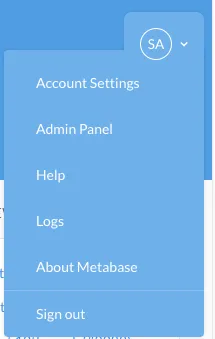
While you can always look for the logs Metabase leaves on your server file system (or however you collect logs), if you are logged into Metabase with an admin account, you can also access them from the drop down menu in the upper right hand corner.
Metabase will print debugging information and errors to your browser’s JavaScript Console.
You can open the JavaScript console by following the instructions for your specific browser:


